The Experience Paradox: Why 'Just Build Projects' Advice Fails Beginners
Entry-level UX jobs require experience you can only get by working — and that circular trap stops most beginners before they start. Solo portfolio projects feel fake, imposter syndrome kicks in, and 'just build stuff' advice leaves you spinning. The fix isn't more willpower — it's a structured path with real work built in.
If you've searched 'how to get UX experience with no experience,' you already know the frustration. Job listings ask for 2–3 years of product design work. You have zero. So you try to fake it — you redesign Spotify, rebuild a food delivery app, and post it on Behance. Then nothing happens.
The problem isn't your effort. It's the structure. Solo redesigns don't come with a real brief, a real stakeholder, or real constraints. Hiring managers can spot the difference immediately. A redesign of an app you've never actually tested with users isn't a case study — it's a guess dressed up in Figma.
There's also an emotional layer that almost no one talks about. Imposter syndrome hits hard when you're working alone. You don't know if your wireframes are good. You don't know if your research is thorough enough. You don't know what 'done' looks like. Without feedback, you either over-polish forever or abandon the project entirely.
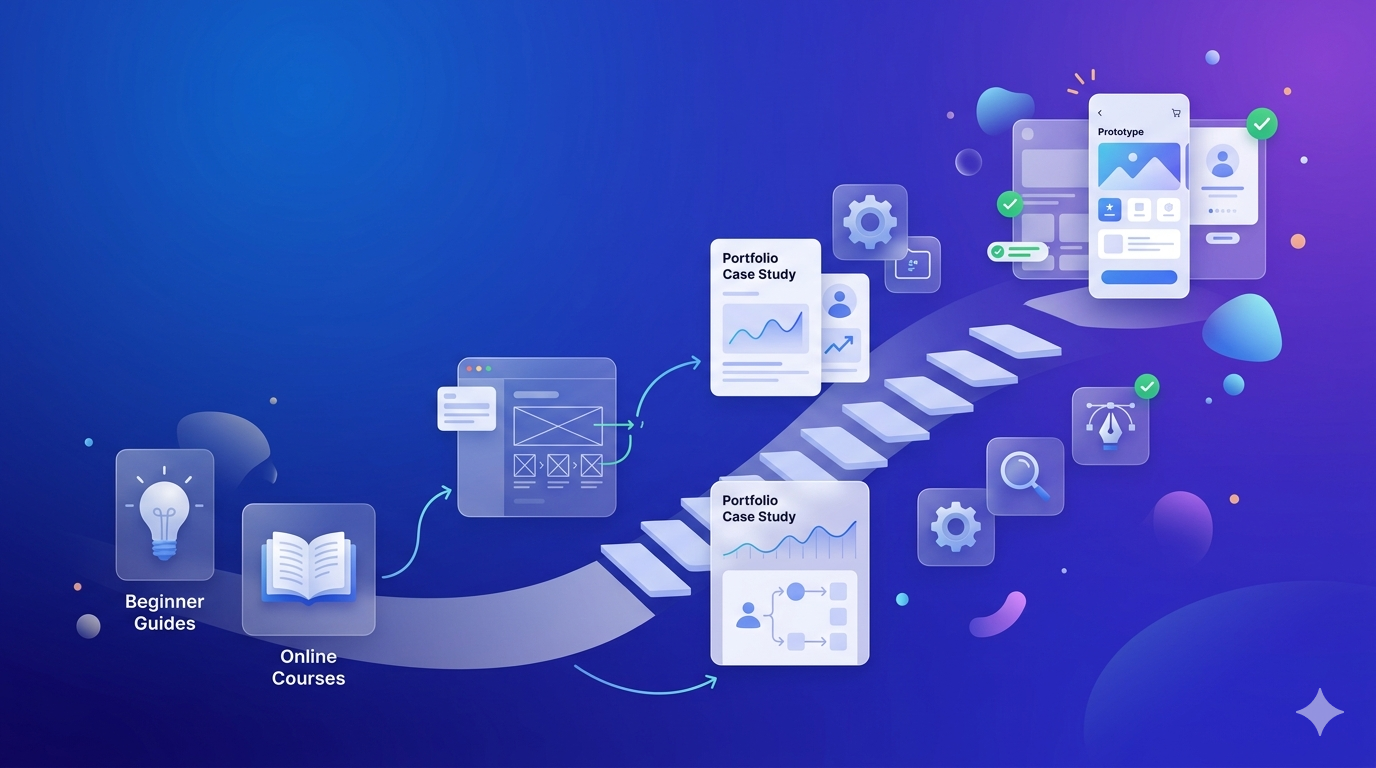
The solution isn't to push through the discomfort alone — it's to change the environment. A structured apprenticeship puts you inside a real design process from day one: real briefs, real feedback, real deliverables. You stop guessing and start building work that actually holds up in an interview. That's the structural shift this guide is built around.
Key facts
- The 'need experience to get experience' loop is the #1 barrier for UX beginners — it's a structural problem, not a personal failure.
- Solo redesign projects are the most common beginner mistake — they lack real briefs, real users, and real constraints that hiring managers look for.
- Imposter syndrome is a predictable side effect of working without feedback — not a sign you're in the wrong field.
- A structured apprenticeship breaks the paradox by embedding real work into the learning process from the start.
- Hiring managers distinguish between self-directed redesigns and work done under real-world conditions — the latter wins every time.
DIY vs. Structured Path: A Comparison of Your Options
The DIY self-taught route is slower, riskier, and produces weaker portfolios than a structured apprenticeship — especially for beginners with no feedback loop. Self-teaching can work, but it requires months of trial and error with no guarantee of direction. A structured path compresses that timeline and removes the guesswork.
Here's an honest side-by-side look at both paths across the dimensions that matter most when you're trying to land your first UX role:
The hidden cost of the DIY route isn't the money — it's the months. Beginners who go it alone often spend 3–4 months on a single project that doesn't land well in interviews, then restart. Without a feedback loop, you don't know what's wrong until a recruiter tells you — and by then, you've already lost the opportunity.
The structured path's biggest advantage isn't just speed — it's the quality of feedback embedded in the work itself. When a mentor reviews your research plan before you run 5 user interviews, you don't waste a week collecting the wrong data. When a senior designer reviews your wireframes mid-project, you learn faster than any YouTube tutorial can teach.
That said, the DIY path isn't worthless. If you're disciplined, connected to a strong community, and have access to real feedback (even informally), you can make it work. But for most beginners — especially career-changers with full-time jobs and limited time — the structured path is the smarter investment.
Key facts
- Self-taught UX designers typically take 6–18 months to build a hire-ready portfolio; a structured apprenticeship compresses this to 3–6 months.
- The biggest hidden cost of the DIY route is wasted time on projects that don't resonate with hiring managers — with no feedback loop to course-correct.
- Structured apprenticeships embed mentorship directly into live project work, not as an add-on but as the core learning mechanism.
- Portfolio strength is the #1 hiring asset for non-traditional UX candidates — and structured programs produce stronger portfolios than solo redesigns.
- Accountability is a structural feature of apprenticeships, not a personality trait you need to manufacture on your own.
- Networking through a cohort and mentor network gives apprenticeship graduates a referral advantage that solo learners rarely access.
6 Steps From Zero Experience to a Hire-Ready UX Portfolio
Getting from zero UX experience to a hire-ready portfolio takes six clear steps: build your foundation, choose a real project, run a genuine design process, document everything, get feedback, and pitch your work. Each step has a concrete milestone — and the whole path can be completed in 12–16 weeks with the right structure.
Here's the step-by-step path that works — whether you go DIY, join a community, or enroll in a structured program:
**Step 1: Build Your Foundation (Weeks 1–2)**
Learn the core UX vocabulary and process before you touch a design tool. Understand what user research, wireframing, prototyping, and usability testing actually mean. Free resources: Google UX Design Certificate (Coursera), Nielsen Norman Group articles, and the Interaction Design Foundation. Goal: be able to explain the design process in plain language.
**Step 2: Choose a Real Project Brief (Week 3)**
Pick a project with real constraints — a local non-profit, a community app, a small business website. Avoid redesigning famous apps unless you have real user data to back it up. DIY option: find a brief on Briefbox or UX Challenges. Structured option: your apprenticeship program assigns you one.
**Step 3: Run a Real Design Process (Weeks 4–8)**
Week 3–4: User research (interviews, surveys, competitive analysis). Week 5–6: Define the problem, create personas, map user journeys. Week 7–8: Sketch, wireframe, and build a low-fidelity prototype. Don't skip research to get to the 'fun' design part — research is what makes your portfolio credible.
**Step 4: Test and Iterate (Weeks 9–10)**
Run at least 3–5 usability tests with real people. Document what broke, what worked, and what you changed. This iteration evidence is gold in a portfolio — it shows you design with users, not just for them.
**Step 5: Document Your Process (Weeks 11–12)**
Build a case study that walks through your research, decisions, and outcomes. Include sketches, wireframes, test findings, and reflections. Hiring managers read case studies to understand how you think — not just what you made.
**Step 6: Get Feedback and Pitch (Weeks 13–16)**
Share your portfolio with a mentor, a UX community, or a career coach before you apply. Refine based on feedback. Then apply with confidence — you have real work to show.
Key facts
- A hire-ready UX portfolio can be built in 12–16 weeks with a structured process — not the 12–18 months most beginners spend going it alone.
- Step 1 is foundation-building (Weeks 1–2): learn the design process vocabulary before opening Figma.
- Step 3 is the most skipped and most important: running a real research-to-prototype process is what separates credible portfolios from decorative ones.
- Usability testing with 3–5 real users (Step 4) produces iteration evidence that hiring managers specifically look for in junior candidates.
- Case study documentation (Step 5) is the portfolio deliverable — not the final screens. Show your thinking, not just your output.
- Getting external feedback before applying (Step 6) is the step most self-taught designers skip — and the one that most often determines interview success.
Example: A career-changer working full-time can follow this path on evenings and weekends: 1–2 hours per day across 14 weeks produces a complete, documented case study ready for portfolio review.
10 Real-World UX Project Ideas Beginners Can Start This Week
The best beginner UX projects are grounded in real problems, real users, and real constraints — not hypothetical redesigns of apps you've never tested. These 10 ideas give you a genuine design challenge, a clear deliverable, and portfolio-worthy process documentation you can walk through in any interview.
Each idea below is paired with what you'll produce — because the deliverable matters as much as the project itself.
**1. Redesign a local public transport app**
Interview 5 commuters about their biggest frustrations. Produce: user research report, journey map, wireframes, and a usability-tested prototype.
**2. Design a website for a local non-profit**
Approach a charity or community group that has an outdated or missing website. Produce: stakeholder interview notes, information architecture, wireframes, and a final prototype.
**3. Improve the onboarding flow of a free app you use**
Pick an app with a confusing sign-up or first-use experience. Recruit 3 new users to test it. Produce: usability test findings, annotated wireframes, and a redesigned onboarding flow.
**4. Design a booking system for a small local business**
A hair salon, yoga studio, or independent café often has no digital booking. Produce: user interviews, task flow, wireframes, and a clickable prototype.
**5. Create an accessibility audit and redesign**
Choose any public-facing website and run it through WCAG accessibility guidelines. Produce: audit report, annotated screenshots, and a redesigned component set.
**6. Design a community event app for a club or group you belong to**
You already know the users — interview them. Produce: personas, user stories, wireframes, and a prototype.
**7. Redesign a government service form**
Tax forms, permit applications, and benefit claim forms are notoriously hard to use. Produce: cognitive walkthrough, pain point map, and a simplified redesign.
**8. Design a mental health check-in feature for an existing wellness app**
Research emotional design principles and trauma-informed UX. Produce: research synthesis, design principles, wireframes, and a prototype.
**9. Build a UX audit of your university or school's website**
You have insider knowledge of the user base. Produce: heuristic evaluation, user testing notes, and a prioritized recommendation report.
**10. Design a volunteer coordination tool for a local organization**
Volunteer management is a real, unsolved problem for many charities. Produce: stakeholder map, user flows, wireframes, and a usability-tested prototype.
The rule across all 10: document your process more than you polish your screens. A rough wireframe with a clear research rationale beats a pixel-perfect mockup with no story behind it.
Key facts
- The best beginner UX projects involve real users and real constraints — not hypothetical redesigns of apps you've never tested with actual people.
- Non-profit and local business projects give beginners access to real stakeholders, real feedback, and real design constraints without needing a job.
- Process documentation — research notes, sketches, wireframes, test findings — is the portfolio deliverable, not the final visual design.
- Government service forms and accessibility audits are underused beginner project types that demonstrate mature, user-centered thinking.
- Each project idea above produces at least 3–4 distinct portfolio artifacts: research report, wireframes, prototype, and case study narrative.
- Recruiting 3–5 real users for usability testing is achievable for any beginner — friends, family, or community members count as real research participants.
Process Over Polish: What a Real UX Design Process Looks Like
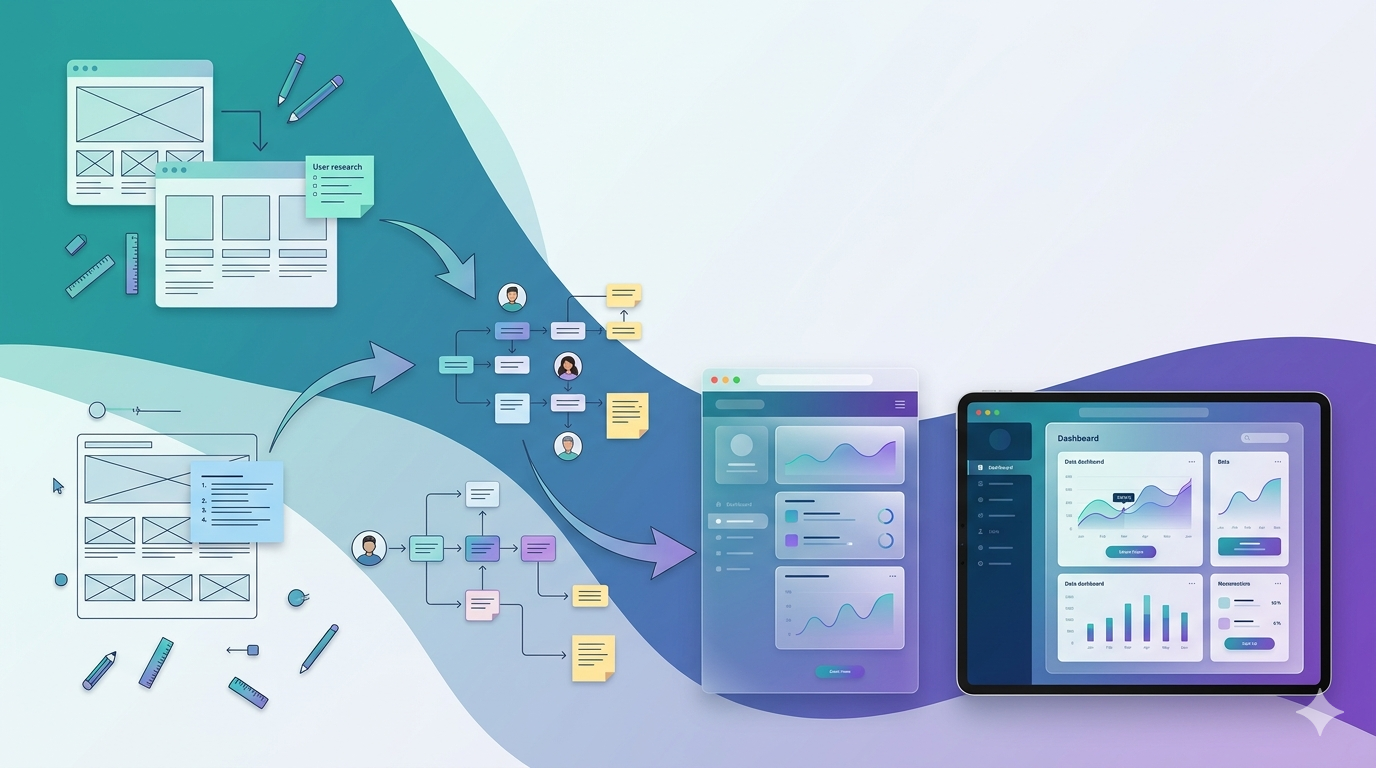
A real UX design process moves through five stages: research, define, wireframe, prototype, and test — then reflects on what changed and why. Hiring managers don't want to see perfect final screens. They want to see how you think, how you respond to user feedback, and how your decisions evolved across the project.
Here's what each stage of a genuine design process produces — and why each one belongs in your portfolio:
**Research**This is where you talk to real people. User interviews, surveys, and competitive analysis produce raw data that shapes every decision downstream. In your portfolio, show your interview guide, key quotes, and a synthesis of what you found. This stage proves you design with evidence, not assumptions.
**Define**Turn your research into a clear problem statement. Create personas based on patterns you found — not stock photo characters with made-up names. Map the user journey to show where the experience breaks down. These artifacts show you can translate messy data into a focused design direction.
**Wireframe**Start with sketches on paper. Low-fidelity wireframes are faster to change and easier to test. Show your early sketches alongside your refined wireframes — the evolution tells a story. Don't jump to high-fidelity design until you've validated the structure.
**Prototype**Build a clickable prototype in Figma or a similar tool. It doesn't need to be pixel-perfect — it needs to be testable. A prototype that you've actually put in front of users is worth ten polished mockups that no one has touched.
**Test and Reflect**Run usability tests. Document what broke. Show what you changed and why. This reflection stage is where most beginners stop — and it's exactly where hiring managers look first. A before/after comparison of your wireframes, with a clear explanation of what user feedback drove the change, is one of the most powerful portfolio moments you can create.
The transformation from 'I made a pretty app' to 'I solved a real problem through research and iteration' is what separates a portfolio that gets interviews from one that gets ignored. Show the messy middle — the sketches, the failed tests, the pivots. That's what real design work looks like.
Key facts
- The five stages of a real UX design process are: research, define, wireframe, prototype, and test — each producing distinct portfolio artifacts.
- Hiring managers look for evidence of iteration — before/after wireframe comparisons with a clear rationale are among the most compelling portfolio moments.
- Early sketches and low-fidelity wireframes belong in your portfolio — they show your thinking process, not just your Figma skills.
- Personas built from real interview data are far more credible than stock-photo characters with invented demographics.
- A clickable prototype that has been tested with real users is more valuable to a hiring manager than a polished mockup that hasn't been touched.
- The reflection stage — documenting what broke in testing and what you changed — is the most skipped and most evaluated part of a junior UX portfolio.
What Happens After You Build Your Portfolio (And What Recruiters Actually Look For)
Building your portfolio is step one — pitching it is step two. Recruiters reviewing non-traditional candidates look for clear thinking, documented process, and the ability to talk through decisions under pressure. Your portfolio gets you the interview; your ability to walk through a case study out loud gets you the offer.
Most beginner guides stop at 'build your portfolio.' But the gap between a finished portfolio and a job offer is where most candidates stall — and it's a gap DesignXP is built to close.
**What hiring managers actually look for from non-traditional candidates:**
Recruiters reviewing career-changers and recent graduates aren't expecting 3 years of polished work. They're looking for three things: evidence that you understand the design process, proof that you can work with real constraints and real feedback, and confidence that you can explain your decisions clearly. A single well-documented case study beats five shallow redesigns every time.
**How to pitch your portfolio:**
Don't just send a link. Write a 2–3 sentence summary of your strongest case study in your cover letter or outreach message. Lead with the problem you solved, not the tools you used. 'I redesigned the onboarding flow for a local non-profit, reducing drop-off by simplifying a 7-step form to 3 steps after testing with 5 users' is a pitch. 'I used Figma to create wireframes' is not.
**How to talk through your work in interviews:**
Use the STAR method (Situation, Task, Action, Result) to structure your case study walkthrough. Situation: what was the problem? Task: what were you asked to solve? Action: what did you do, and why? Result: what changed, and what did you learn? Apprenticeship work is especially strong here because you can reference real briefs, real stakeholders, and real feedback — not hypothetical scenarios.
**The confidence factor:**
One of the most underrated advantages of structured apprenticeship work is that you've already presented your work to a mentor and received critique. By the time you're in an interview, you've practiced defending your decisions. That confidence is visible — and it's something self-taught designers who've never had their work reviewed often lack.
Key facts
- Hiring managers reviewing non-traditional UX candidates prioritize process understanding, real-constraint experience, and the ability to explain decisions — not years of experience.
- A single well-documented case study with real research and iteration evidence outperforms five shallow redesigns in a hiring manager review.
- Portfolio pitches should lead with the problem solved and the outcome achieved — not the tools used or the visual style.
- The STAR method (Situation, Task, Action, Result) is the most effective framework for walking through a UX case study in an interview.
- Apprenticeship graduates can reference real briefs, real stakeholders, and real feedback in interviews — a credibility advantage over purely self-directed work.
- Presenting work to a mentor during an apprenticeship builds the interview confidence that self-taught designers rarely develop before their first job application.
How DesignXP's Apprenticeship Solves the Experience Problem Structurally
DesignXP's UX Apprenticeship is the only program where you work on actual product and client problems — not simulated exercises — while receiving mentor-led feedback at every stage. It's built specifically for beginners who need real experience, a credible portfolio, and the confidence to walk into any interview and own their work.
Every other path to UX experience asks you to figure it out alone. DesignXP's apprenticeship is built differently — because the experience problem is structural, and the solution has to be structural too.
**What makes it different:**
You don't work on made-up briefs. You work on real product problems with real constraints, guided by mentors who've shipped real products. Every project produces deliverables you can put directly into your portfolio: research reports, documented wireframes, tested prototypes, and full case studies.
**The feedback loop is the product:**
Most programs teach you design theory and send you off to practice alone. DesignXP embeds feedback into every stage of the work — before your research plan, during your wireframes, after your usability tests. You don't just learn what good design looks like; you experience what it feels like to have your work reviewed and improved in real time.
**What you'll build:**
- 2–3 complete UX case studies with documented research, wireframes, and prototypes
- A usability testing report from real user sessions
- A portfolio-ready presentation of your design process
- The ability to walk through your work confidently in any interview
**Program at a glance:**
- **Who it's for:** Career-changers and recent graduates with no UX experience
- **Format:** Cohort-based, online, with live mentor sessions- **Duration:** 12–16 weeks
- **What you'll build:** Real product design work, documented case studies, a hire-ready portfolio
- **Community:** Join designers from 21+ countries who are building real products and landing real roles in top companies
If you've been spinning your wheels on solo projects with no feedback and no direction, the apprenticeship is the turning point. Not because it's easier — but because it's structured to produce the exact outcome you need: real experience, real work, and real confidence.
Key facts
- DesignXP's UX Apprenticeship is the only program type where beginners work on actual product problems — not simulated exercises or hypothetical redesigns.
- Mentor-led feedback is embedded at every stage of the project — research, wireframes, prototyping, and testing — not delivered as a one-time review.
- Apprenticeship graduates produce 2–3 complete case studies with documented research, wireframes, and usability-tested prototypes ready for portfolio use.
- The program is designed for career-changers and recent graduates with zero UX experience — no prior design background required.
- DesignXP's cohort spans designers from 21+ countries, giving apprentices a peer network and referral community from day one.
- The 12–16 week program produces a hire-ready portfolio faster than the 6–18 month average for self-taught UX designers.
Frequently asked questions
With a structured apprenticeship, beginners can build a hire-ready UX portfolio in 12–16 weeks. The self-taught route typically takes 6–18 months — and often longer without a feedback loop. The difference is structure: guided projects with mentor feedback compress the timeline significantly.
Yes — but the type of projects you choose matters. Work on real briefs with real users: local non-profits, small businesses, or community apps. Document your full design process, including research and iteration. A single well-documented case study from a real project is more credible than five polished redesigns.
No degree is required to become a UX designer. Hiring managers prioritize portfolio quality, process documentation, and the ability to explain design decisions — not academic credentials. Career-changers and self-taught designers land UX roles every day when their portfolio demonstrates real, user-centered design work.
A bootcamp teaches design skills through structured lessons and assignments. An apprenticeship puts you inside real product work from day one — with real briefs, real stakeholders, and mentor feedback embedded in the process. Apprenticeships produce stronger portfolios because the work is genuine, not simulated.
Hiring managers look for evidence of a real design process: user research, defined problem statements, wireframes, usability testing, and documented iteration. They want to see how you think and respond to feedback — not just polished final screens. One strong, well-documented case study beats five shallow redesigns.

.png)